Button Shapes
Button shapes are part of the iOS accessibility system. They can be enabled by: -
- open settings app in iOS
- navigate to
Accessibility - navigate to
Display & Text Size - enable
Button Shapes
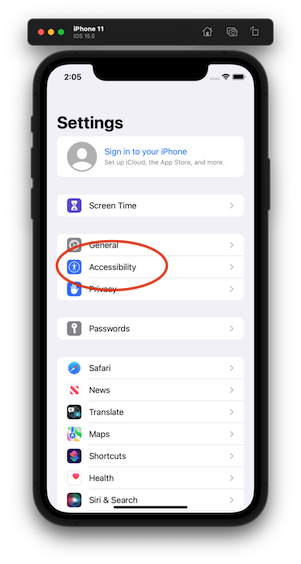
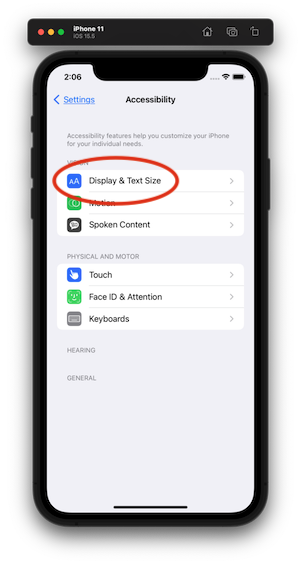
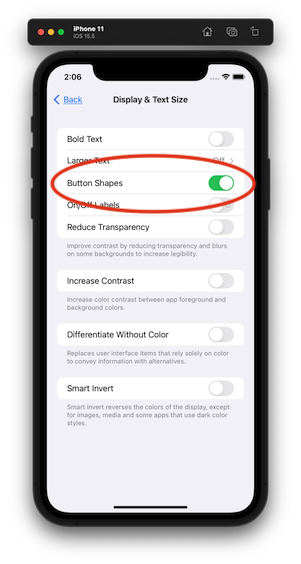
Two things are now enabled throughout the OS and also in individual apps that use iOS components.
- underlines on navigation bar text and other tappable text (making them more like hyper links)
- translucent boxes around button areas
The purpose of these is to make it a bit more clear which items are selected and tappable and to give some more clues as to the behaviour of the items.
Contrast tool
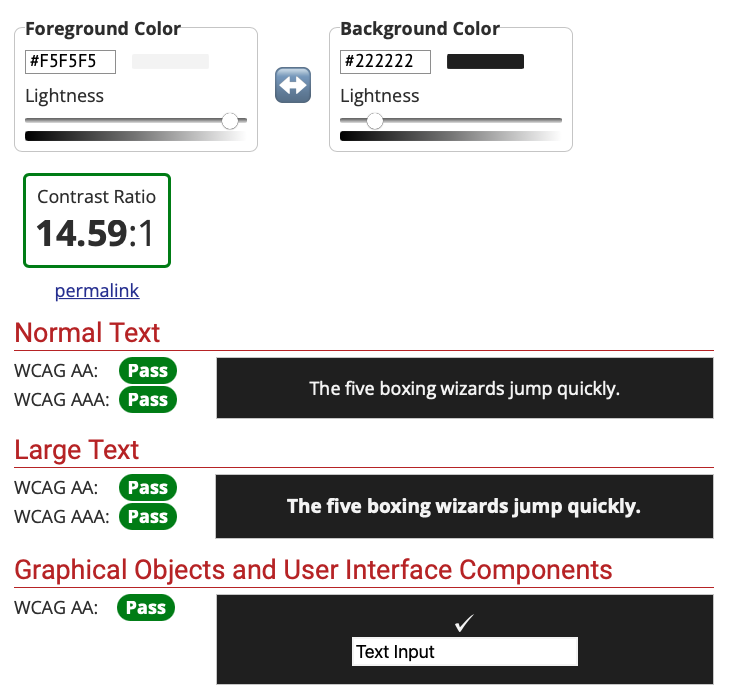
Another important aspect of accessibility is the contrast of colours within the UI components.
This tool can be used to check the colour contrasts meet this particuar standard.
Pass
Fail
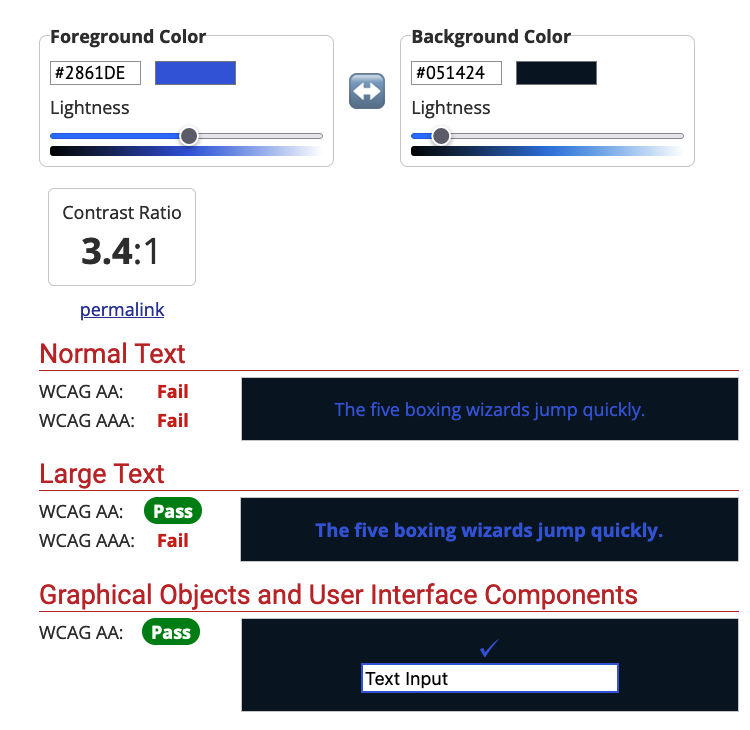
You can use something like Digital Colour Meter in MacOS to extract the RGB values to plug into the contrast test tool.
Testing
I couldn’t find a way of enabling and disabling buttonShapes from within XCTestCase.
Hopefully this will shine some light on this problem.